
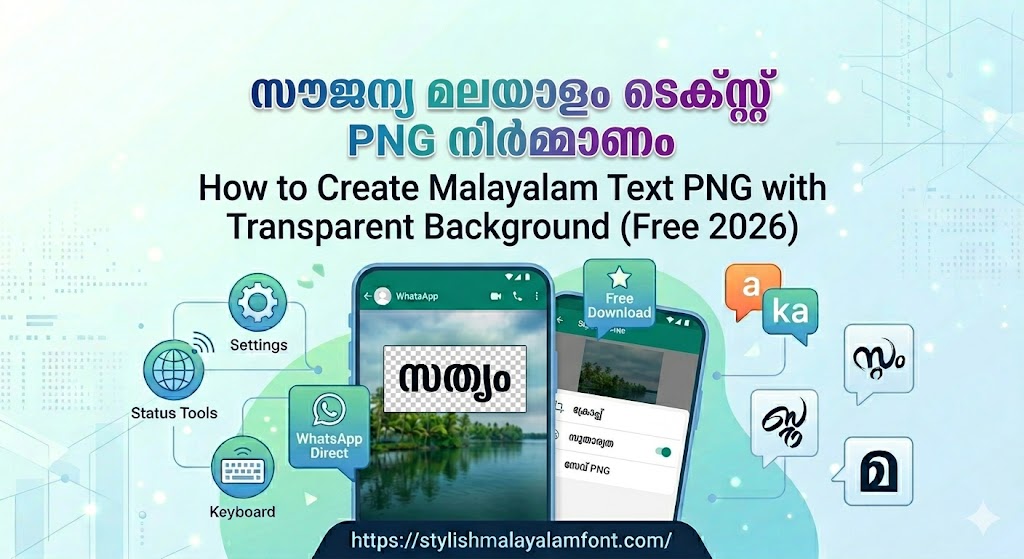
If you’ve ever tried adding Malayalam text to a design in Canva, CapCut, or Photoshop, you know the problem: most tools give you a white box around your text. The transparent PNG workflow solves this completely.
This guide shows you exactly how to generate transparent Malayalam text in any font and any style — completely free, with no watermark.
What Is a Transparent PNG?
A transparent PNG is an image where the background is invisible (the alpha channel is empty). Only the actual content — your Malayalam text — is visible. When placed over any background, the background shows through seamlessly.
You need transparent PNG for:
- Canva: Overlay styled Malayalam text on any background
- CapCut: Add Malayalam text overlay to video
- Photoshop: Non-destructive text layer at full quality
- KineMaster / VN: On-screen title and subtitle overlays
- YouTube thumbnails: Text that works over any background photo
- WhatsApp: Layer text over a personal photo
The Font Makes the Transparent PNG
The transparent PNG workflow works with any of the 150+ fonts in the generator. Here’s how font choice changes what you create:
| Font | Transparent PNG Use Case |
|---|---|
| Baloo Chettan 2 ExtraBold | YouTube thumbnails, bold overlays |
| Chilanka | WhatsApp status over photos, meme overlays |
| Manjari Bold | Instagram quote overlays, motivational posts |
| Rachana | Devotional text over photos of temples/nature |
| Gayathri | Elegant lifestyle photo overlays |
| Uroob | Vintage / literary photo overlay captions |
| Meera | Clean, newspaper-style text overlays |
| Karumbi | Event poster text overlay |
| Anek Malayalam | Modern tech / creative overlays |
| Anjali Old Lipi | Retro / classic styled photo captions |
| Kufam | Gaming / experimental overlay text |
| Dyuthi | News-style title overlays |
| Any ML-TT font | Legacy-style formatted design export |
Step-by-Step: Generate a Transparent Malayalam PNG
Step 1: Open stylishmalayalamfont.com
Step 2: Type your Malayalam text (Manglish auto-converts)
Step 3: Pick your font — any of the 150+ available
Step 4: Apply effects in the Style tab:
- Fill: Solid color / Gradient
- Enable Drop Shadow (recommended for overlays)
- Optional: 3D Extrude for thumbnail-style punch
Step 5: Click Canvas tab
- Set Background Mode → Transparent (default)
- Set canvas Width × Height to your target size
Step 6: Click Download PNG
The preview will show a checkerboard pattern — that means transparency is active. The downloaded .png file will have a fully transparent background.
How to Use Your Transparent PNG
In Canva:
- Uploads → Upload your transparent PNG
- Drag onto canvas over your background
- Resize and reposition freely
In CapCut (Mobile/Desktop):
- Add background video/photo to timeline
- Tap Overlay → Add Overlay
- Select your transparent PNG
- Position on screen — background video shows through
In Photoshop:
- File → Place Embedded → select your PNG
- Photoshop imports it as a Smart Object
- Scale, position, apply filters on top — non-destructive
In KineMaster:
- Open project → Tap Layer → Image
- Select your transparent PNG
- Drag to position on the video frame
Tips for Best Results
✅ Use a large canvas size — 1280×720 for YouTube, 1080×1920 for Reels/Stories, 1080×1080 for square posts
✅ Add a drop shadow before downloading — it looks dramatic over any photo
✅ Thicker fonts export better — Baloo Chettan 2, Karumbi, and Dyuthi survive video compression better than thin fonts
✅ SVG also supports transparency — for print designs, use SVG for infinite scalability
❌ Never save as JPG — JPEG has no transparency support. Always PNG or SVG.
❌ Don’t screenshot the preview — screenshots capture the white page behind the canvas. Always use Download PNG.
FAQ
Is there a watermark on the transparent PNG?
No. stylishmalayalamfont.com adds zero watermarks on PNG or SVG downloads, ever.
Can I choose which Malayalam font for my transparent PNG?
Yes — all 150+ fonts work for transparent export, including Google Fonts, ML-TT fonts, and custom uploaded fonts.
What resolution does the generator export at?
The generator renders at 4× pixel density by default — giving you a crisp, high-resolution image even at large canvas sizes.
Can I use the SVG version instead of PNG?
Yes. SVG is infinitely scalable and also supports full transparency. Use it for print projects or when you need to scale text very large.x₹
Create transparent Malayalam PNG in any font — free → stylishmalayalamfont.com